MultiMode Launcher Pro
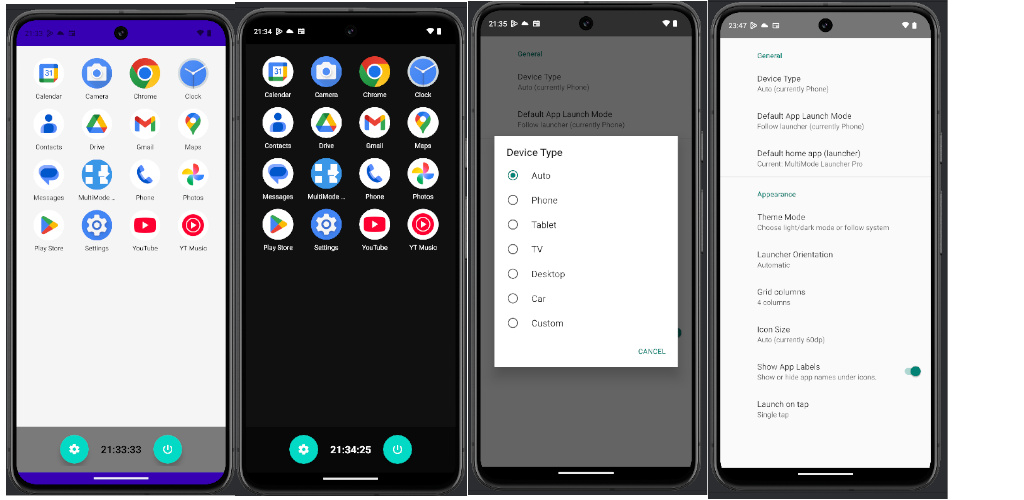
Turn your Android device into a clean, fast home screen optimized for TV, phone, tablet and desktop-style layouts. MultiMode Launcher Pro lets you choose how your apps are displayed, how many icons fit on screen, and how apps are launched — perfect for Android TV boxes, tablets, phones, and keyboards/remotes.
Lorem Ipsum has been the industry’s standard dummy text ever since the 1500s.
Key features
- Multiple modes: Auto / TV / Phone / Tablet / Desktop
- Orientation control: Auto / Portrait / Landscape
- Adaptive grid: automatic icon layout based on screen size, plus manual settings (e.g. 4–9 columns)
- Fast app launching: smooth navigation with touch, mouse/keyboard, or remote (DPAD)
- Per-app launch behavior: set preferred launch style for selected apps (best-effort support depending on device/app)
- Simple settings & clean UI: minimal distractions, easy to configure
Designed for
- Android TV devices & TV boxes (remote-friendly navigation)
- Tablets and foldables (bigger grids, landscape layouts)
- Phones (compact grid and portrait mode)
- Desktop-like usage with keyboard/mouse and multi-window (device support required)
Notes
Some “forced mode” behaviors depend on the target app and your device’s Android features (for example multi-window / TV activities). MultiMode Launcher Pro uses system-supported methods to improve compatibility, but not every app supports every mode.
Play Google Store:
https://play.google.com/store/apps/details?id=com.stargate.multimodelauncherpro