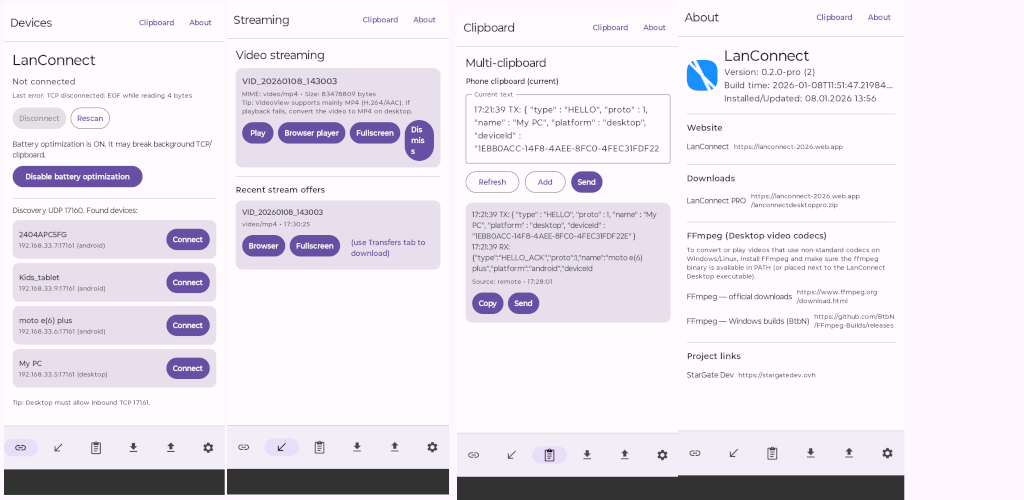
Key features
• Clipboard sync: text, links, and images
• Clipboard history with search and pinning (favorites don’t rotate)
• Private mode: mark an item as “Private” to prevent sending it over the network
• File transfer Android ↔ Windows/Linux (including multi-file sending)
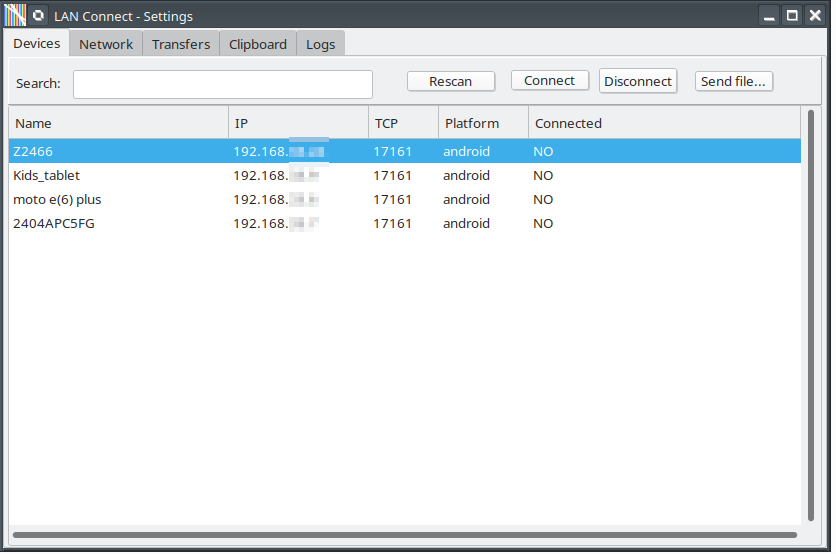
• Peer-to-peer LAN connection with automatic device discovery
• AES encryption (PRO version) for more secure communication
• Limits & cleanup: size limits and maximum history entries
How it works
- Run LanConnect on Android and on Windows/Linux.
- Make sure all devices are on the same Wi-Fi/LAN.
- Open Devices, tap a device, and press Connect. Done!
Network note
Some routers enable client isolation (AP/Client Isolation, Guest Wi-Fi), which blocks device-to-device connections. Disable it if devices are discovered but cannot connect.
FFmpeg (Windows/Linux)
For converting videos with uncommon/custom codecs, you may need FFmpeg installed:
• https://www.ffmpeg.org/download.html
• https://github.com/BtbN/FFmpeg-Builds/releases
LanConnect is perfect for work and home: quickly move links, notes, images, documents, and files between your phone and computer — locally and directly.
Download the app on Google Play Store: https://play.google.com/apps/testing/ovh.stargatedev.lanconnect.pro